Every coding agent in one workspace. Every upstream change reviewed first.
CodeHarden is a fork of CodeDen, the free, open-source app for running Claude Code, Codex and other coding agents on your own machine. It follows upstream every day and takes changes in only after they have been reviewed.
npx codehardenRuns the agents you already have
- Claude Code
- Codex
- OpenCode
- Cursor
- Gemini CLI
Drive
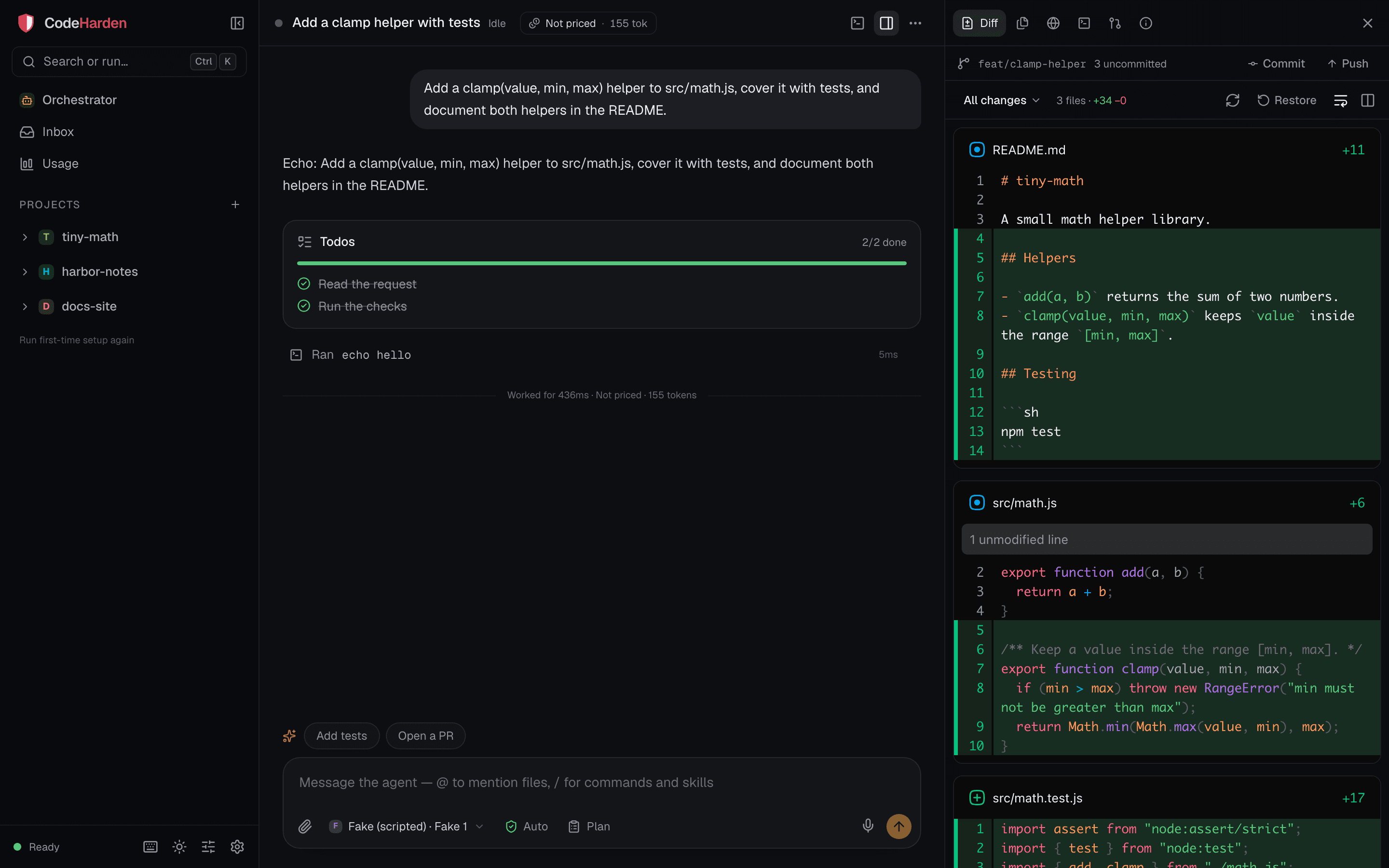
One agent, and a clear view of what it does.
Open a project, start a session and tell the agent what to build. Its changes show up beside the chat, turn by turn, with every file it touched.
- Each session works in its own copy of the project, on its own branch
- Every turn is saved, so you can roll files back to an earlier point
- By default, anything risky waits in your inbox for your approval
- Changes
- Files
- Terminal
- Built-in browser
- Agent setup
- Voice
- Image generation
Delegate
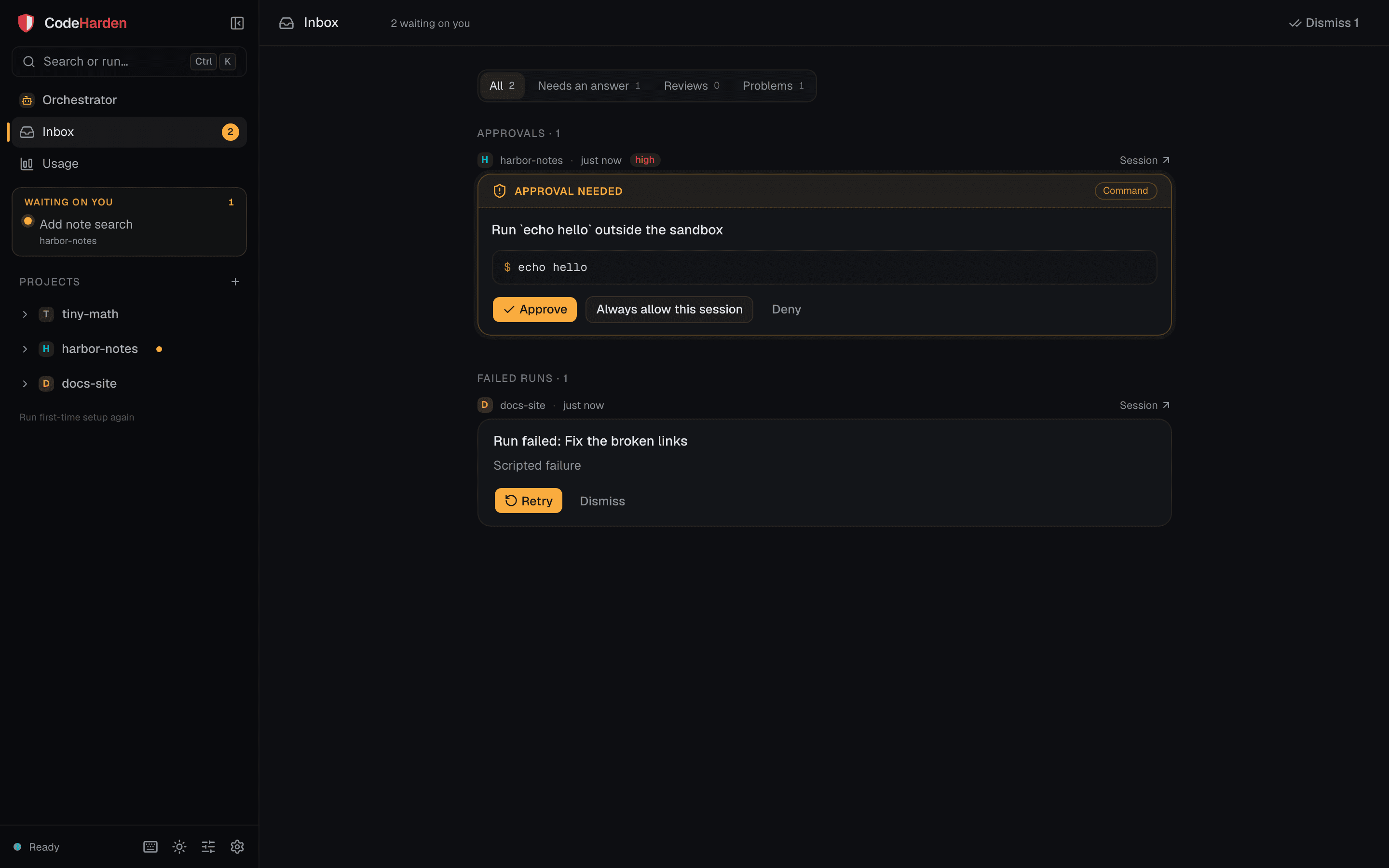
Several agents at once, and one inbox for all of them.
Run sessions side by side, across projects and providers. An orchestrator answers for all your projects, and each project has a manager that starts sessions and keeps an eye on them.
- Questions, approvals, pull requests to review and failed runs arrive in one inbox
- Start something that is already running and you are asked whether to wait, skip, join or start anyway
- When one agent reaches its usage limit, carry on in another with the same code
Automate
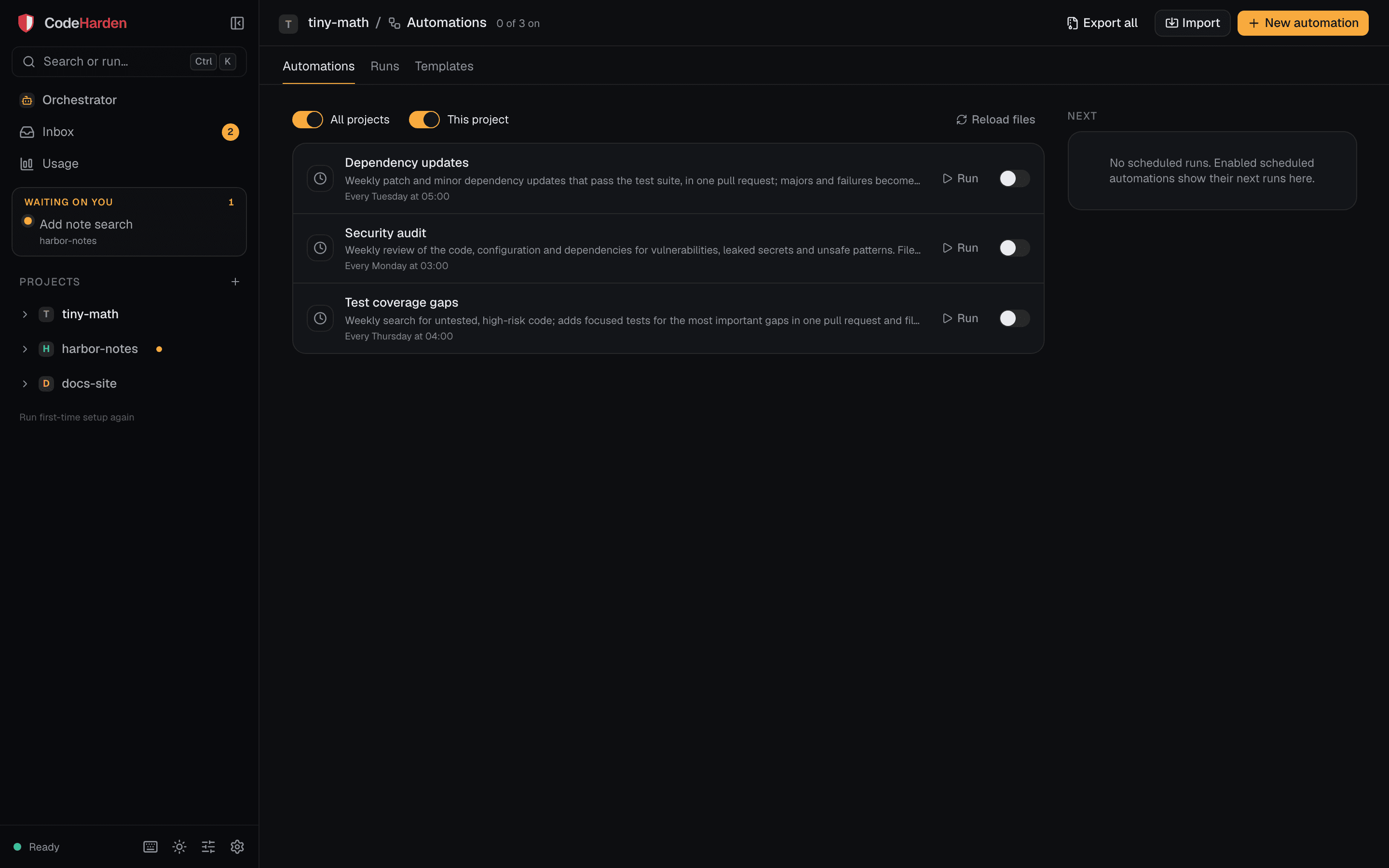
Background jobs you switch on per project.
A security audit, dependency updates, a UI review, issue triage. Each job runs on a schedule or when something happens, as an ordinary session with a full transcript.
- Everything is off until you turn it on
- Each job has its own agent and its own permissions
- Write your own in a few lines of Markdown
Factory
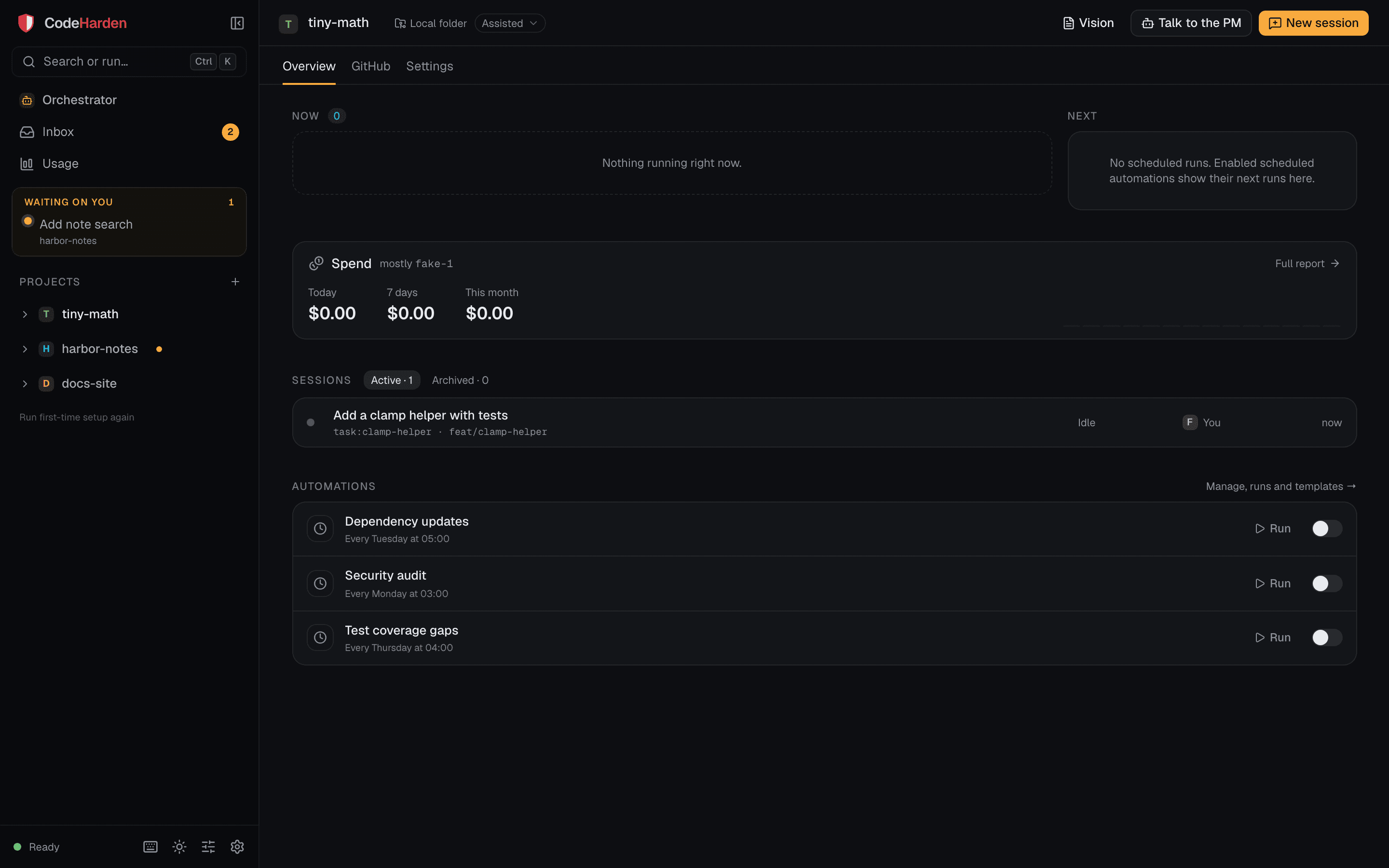
Hand your backlog to a software factory.
Every project has a mode, and you move it up a step when you are ready. In a software factory, the GitHub issues you file come back as pull requests with their test results.
Manual
You start and steer every session.
AssistedDefault
Agents and automations help. You review and merge.
Software factoryExperimental
Issues from people you trust become reviewed pull requests.
Dark factoryExperimental
A scout also reviews the app against your vision and files the issues.
- Bugs are reproduced with a failing test before they are fixed
- A second agent reviews code changes before they reach you
- Only issues from people you trust are picked up
- A daily budget and a limit on agents at once
- Areas you mark are never touched by agents
- It pauses after repeated failures, and one click stops everything
Both factory modes are experimental, so try them on a test repository first. How the factories work (opens in a new tab)
Your logins
Bring the subscriptions you already pay for.
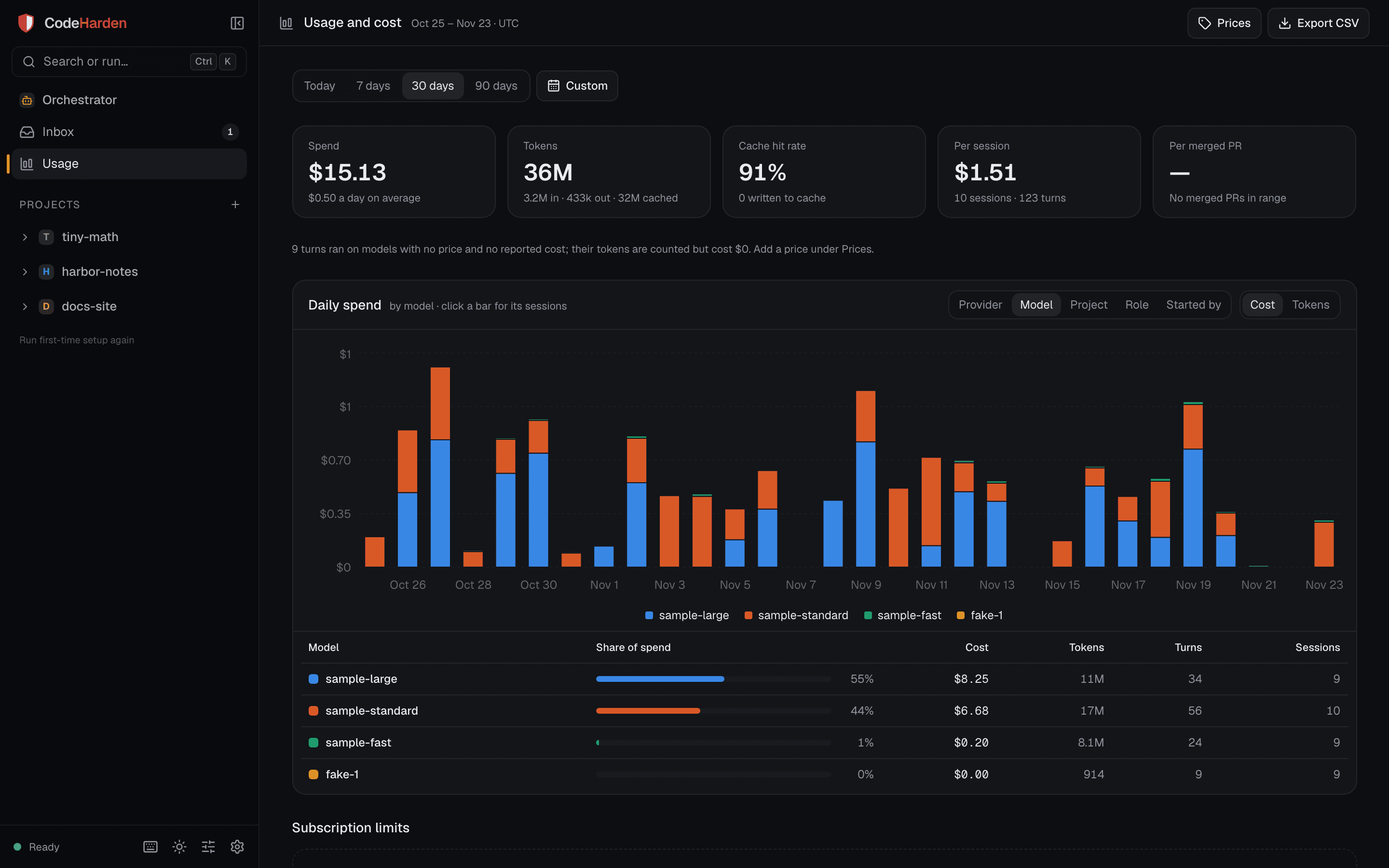
CodeHarden runs the agents installed on your machine, signed in the way they already are. You don't need API keys, and it shows you what the work costs.
- Tokens and cost by provider, model and project
- With a subscription login, what the same work would cost on the API
- Budgets and alerts
Check your provider's terms for how your plan may be used. Usage and costs (opens in a new tab)
The fork
Built from CodeDen. Kept apart from it.
CodeHarden is a fork of CodeDen (opens in a new tab) by Leon van Zyl, under the same MIT licence. What the app does is CodeDen's work. This is what the fork adds.
Its own identity and update channel
CodeHarden has its own name, data folder, port, app id and links, and it only ever updates from its own releases and npm package.
A daily sync, reviewed before merging
Upstream changes are mirrored every day and arrive only by merge, after review. A guard test fails if a merge brings upstream’s names back into the product.
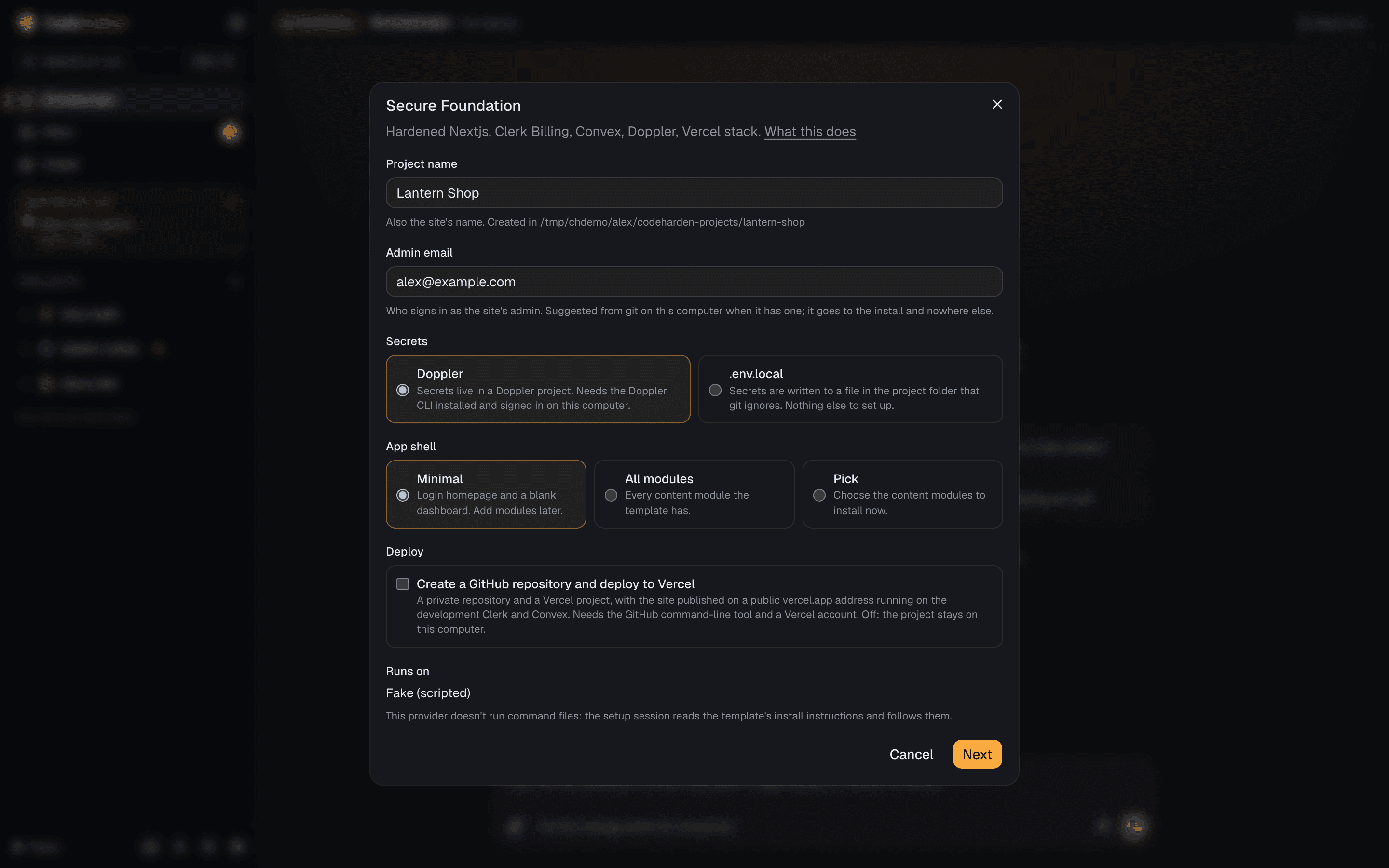
Secure Foundation
A new-project option that sets up a hardened Next.js, Clerk, Convex, Doppler and Vercel stack from Secure Vibe Coding OS.
A path to your own hardened fork
Follow CodeHarden the way it follows CodeDen, with your own changes on top and your own package name.
It runs next to CodeDen.
The two apps share nothing, so you can install both and run them at the same time.
| CodeHarden | CodeDen | |
|---|---|---|
| App id | com.codeharden.app | dev.codeden.app |
| Data folder | ~/.codeharden | ~/.codeden |
| Default port | 4417 | 4317 |
| Links | codeharden:// | codeden:// |
| npm package | codeharden | codeden |
Secure Foundation
A new project, set up from one form.
Secure Foundation is a choice in the add-project dialog. It sets up a hardened Next.js, Clerk, Convex, Doppler and Vercel stack from the Secure Vibe Coding OS (opens in a new tab) template.
Your code and your logins stay on your machine.
Runs on your computer
No account to create, no cloud service and no telemetry. Your code and conversations stay where they are.
No stored logins
It uses your agents’ and GitHub’s own sign-ins. Optional API keys go in your operating system’s keychain.
Open source, MIT
The fork and the project it is built from are both public. Read the code, or fork it.
Make it yours
Run the same process on your own fork.
Three repository variables and one script point the sync, release and guard machinery at your names, so your fork follows CodeHarden with your changes on top.
- Fork the CodeHarden repository on GitHub and enable its workflows.
- Clone it and run the setup script, first as a dry run.
- Review each sync, then label it. Approved syncs are merged for you.
scripts/harden/setup-fork.sh --package your-name --dry-runGet CodeHarden
Free for macOS, Windows and Linux. The installers are on the latest GitHub release.
macOS
Windows
Linux
Prefer the terminal? With Node.js 24 or newer:
npx codehardenor install the command:
npm i -g codeharden@latestEither way you also need git, and at least one coding agent installed and signed in.
The installers are unsigned, so Windows and macOS warn you the first time you open the app, and the macOS app can't update itself: you install new versions by hand. How to open an unsigned build (opens in a new tab) · Release notes (opens in a new tab)
Questions, and plain answers.
How is CodeHarden different from CodeDen?
It is the same app with four additions: its own identity and update channel, a daily sync from upstream that is reviewed before merging, the Secure Foundation new-project option, and a way to make your own hardened fork. Everything else is CodeDen (opens in a new tab).
Does “hardened” mean it has been audited?
No. CodeHarden doesn't claim a security audit, a certification or a guarantee. The name is about the process: upstream changes are reviewed before they are merged, and a guard test fails if a merge brings upstream's names back into the product.
Can I run it next to CodeDen?
Yes. CodeHarden keeps its data in ~/.codeharden, listens on port 4417, has its own app id and opens codeharden:// links, so the two apps share nothing.
Is it free? Do I need API keys?
It is free and open source under the MIT licence, with no account to create. It uses your agents' own logins, subscriptions included. API keys are only an optional extra for some image and voice features.
Where does my data go?
Nowhere. It stays on your computer, in ~/.codeharden, and the app sends no usage data. The only network traffic is your agents talking to their providers, GitHub if you use it, and any optional image or voice services you turn on.
Will agents change my own checkout?
No. Agents work in their own copies of your project, on their own branches. Your checkout and your branch are not touched.
Does it work without GitHub?
Yes. Sessions, the workbench and automations all work on local folders. Issues, pull requests and the factories need GitHub.
Why does Windows or macOS warn me when I open the app?
Because the installers are unsigned, your system can't verify who made the app. On Windows, choose More info, then Run anyway. On macOS, allow it once under Privacy & Security. The desktop guide (opens in a new tab) has every step.
Desktop app or npx codeharden?
They are the same app on the same data, so you can switch whenever you like. The desktop app has its own window, a tray icon and notifications, and doesn't need Node.js. The command opens CodeHarden in your browser.
Which agents does it run?
Claude Code, Codex, OpenCode, Cursor and Gemini CLI. You need at least one of them installed and signed in, and each session picks its own agent and model.
Is the dark factory safe to leave running?
It is experimental. Start with the software factory on a test repository, with auto-merge off. Set a budget, the people you trust and the areas agents must not touch, and keep the stop button in reach.
Start with one session.
Grow at your own pace.
Install the app or run one command. CodeHarden finds the agents you already have and asks only about what is missing.
npx codeharden